
MobiOffice: Word, Sheets, PDF
MobiSystemsBusiness
4.424.65K Reviews
- Version
- 16.5.60515
- Installs
- 100.00M
- Age Rating
- Everyone
Screenshots
Our Review of MobiOffice: Word, Sheets, PDF
 Analysis by Appyee
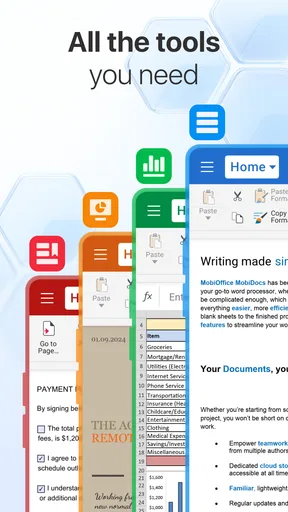
When I need to open an office file away from my desk, I value being able to get straight to the document rather than hunt for the right tool. MobiOffice: Word, Sheets, PDF brings document editing, spreadsheets and PDF work together in one mobile app. That makes it useful for quick handoffs between tasks, though the experience still depends on what you need to do and how you work with files.
First Impressions Matter
Upon downloading MobiOffice: Word, Sheets, PDF, I was greeted by a clean and intuitive interface. It’s straightforward, which means you won’t spend hours trying to navigate through complicated menus. The app opens up to a dashboard where you can easily access Word documents, spreadsheets, and PDFs. It's kind of like your personal assistant, always ready to help.
When a connection helps—and when it gets in the way
Connectivity matters most when a document needs to move between services or people. Cloud storage can make a file easier to reach across devices, while email is a familiar route for sending a finished copy. I’d think of MobiOffice as a handy place to work with office files, not as a guarantee that every step in a workflow will happen without a network. If a task depends on a cloud service or sharing, check the connection before you begin and keep a copy of the file somewhere you can find it.
This distinction is useful in practice: opening and reviewing a file is different from retrieving it from a remote location, and editing is different from getting the revision to a colleague. I would avoid leaving a time-sensitive handoff until the last moment. If I’m preparing a document for a meeting, I’d make sure I can access the latest version and know how I’ll send it before heading out.
Word Processing on the Go
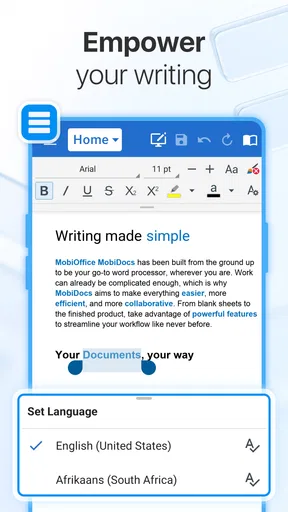
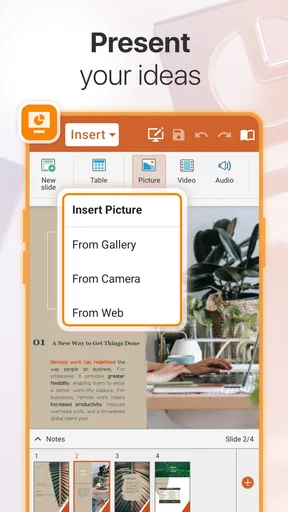
The word processor in MobiOffice is quite impressive. It has all the essential features you’d expect from a desktop word processor, but it's optimized for mobile. You can create, edit, and format your documents with ease. Need to add images or tables? No problem! The app handles it without breaking a sweat. What’s even better is the cloud integration. You can save your documents to your favorite cloud service and access them from anywhere. Talk about convenience!
On a phone, I’d reserve substantial rewriting or precise layout work for a larger screen when possible. A small display makes it easier to miss an awkward page break or subtle formatting change. For a quick correction, a short note, or a last-minute edit to a document, though, having the editor alongside the file is far more practical than waiting to get back to a computer.
Numbers and Figures with Sheets
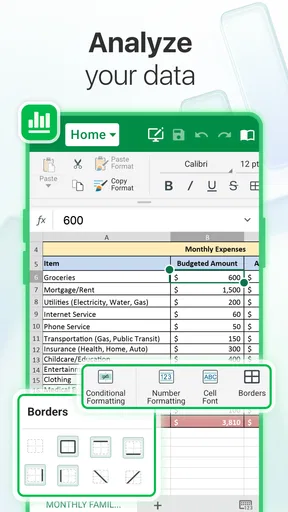
For those of you who love crunching numbers, the spreadsheet feature won’t disappoint. It supports complex formulas, charts, and data analysis tools. Whether you’re managing a budget or analyzing data for work, MobiOffice has got your back. The app runs smoothly even with large datasets, which is a huge plus. And did I mention that you can collaborate with others in real-time? Yep, it’s true, and it works like a charm!
My practical advice for mobile spreadsheet work is to keep the first pass focused: check a total, update a small number of entries, or inspect a chart before making broad changes. On a touchscreen, selecting the intended cell and verifying what a formula references deserve extra attention. A monthly household budget is a good fit for quick checks and modest edits; a large, heavily structured workbook is less comfortable to audit on a phone, even when the app can open it.
PDFs Made Easy
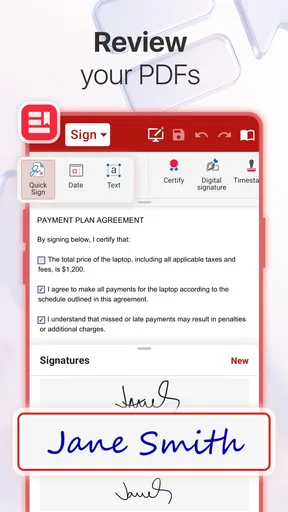
If you deal with PDFs regularly, you’ll appreciate the powerful PDF tools in MobiOffice. You can view, annotate, and even convert PDFs to other formats. Need to sign a document? You can do that too with the built-in signature tool. It’s incredibly handy for those last-minute business deals or school projects. The app also allows you to merge multiple PDFs into one, which is a lifesaver when you're trying to keep things organized.
For a useful everyday workflow, I’d review a form, annotate the points that need attention, and then sign or combine pages only after checking that I’m working with the intended file. Converting a PDF can make text easier to revise, but it may not preserve every element exactly as it appeared on the page. If appearance is critical, I’d inspect the converted result before sharing it rather than assume the two formats will match perfectly.
Moving between files and services
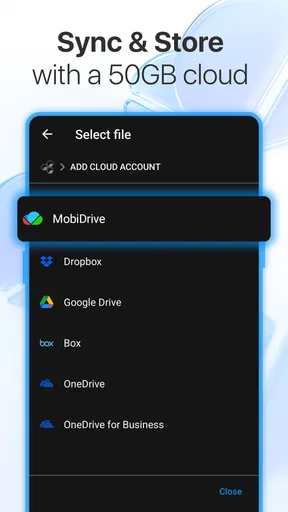
One of the things I love about MobiOffice is its seamless integration with other apps and services. You can easily import and export documents between your favorite cloud storage services. The app supports a variety of formats, so you won’t have to worry about compatibility issues. Plus, it integrates with your email client, making it super easy to send and receive documents.
That flexibility is most valuable when a file arrives through one route and needs to leave through another. For example, I could receive a spreadsheet by email, make a small correction, and send the updated version back without switching between separate editing apps. Before sending, I’d check the filename and attachment: it’s an easy way to avoid returning an older draft when several versions are sitting in the same folder.
Compared with using separate apps for documents, spreadsheets and PDFs, an all-in-one suite reduces the friction of switching tools. If your work is already centered on a particular office ecosystem, its own app may be a better choice for deep collaboration or workflows that rely on specialized features. MobiOffice makes more sense to me when I want one mobile workspace for mixed file types and straightforward editing, rather than a replacement for every desktop tool.
Performance and Reliability
Performance-wise, MobiOffice is top-notch. The app is fast, responsive, and doesn’t drain your battery, which is a big deal for those of us who are always on the move. Even when working on large documents or spreadsheets, the app doesn’t lag or crash. It’s reliable and stable, ensuring you won’t lose any important work.
Still, I treat recovery as part of working on a phone: save meaningful changes, confirm where the file is going, and pause before closing a document if an edit matters. If a connection drops during a cloud-based step, I’d first check the file and its latest saved state before repeating the action. That small habit helps prevent duplicate copies and makes it easier to tell whether a change actually made it into the version I intend to share.
For data-conscious use, I’d open only the files needed for the task and postpone nonessential transfers when connectivity is poor. That is less about the app’s capabilities than about keeping a mobile workflow predictable: large attachments, multiple revisions and repeated uploads can all make a simple errand feel slower. A tidy folder and clear filenames do more than save time; they also reduce the chance of editing or sending the wrong copy.
Who will get the most from it
I’d recommend MobiOffice to students who need to review class documents, people who make occasional edits to work files, and anyone who receives PDFs they need to annotate or sign. It is especially convenient when a day involves several file types and carrying a laptop would be excessive. Someone who mostly reads files can also benefit from having editing tools available for the moments a correction is needed.
I’d be more cautious if your regular work involves elaborate page layouts, intensive spreadsheet modeling, or tightly coordinated collaboration. Those jobs can be easier to manage on a desktop or within the office suite already used by a team. Likewise, if you only need one narrow function—such as reading PDFs—a dedicated reader may feel simpler. The choice comes down to whether the convenience of a combined toolkit outweighs the extra options you may not use.
The app is free to start, with in-app purchases ranging from $1.49 to $149.99 per item. I’d explore the tasks I actually need before paying for anything: opening a file, making a small edit, and testing the route I use to share it are more informative than deciding based on a feature list. MobiSystems develops the app, which is in the business category and is rated for Everyone. Its average rating is 4.3 from around 1.5 million ratings, and it has over 100 million installs.
Wrapping It Up
All in all, MobiOffice: Word, Sheets, PDF is a fantastic productivity app that delivers on its promises. It’s like having a portable office with you at all times. Whether you’re working on a project, preparing a presentation, or just jotting down notes, this app has everything you need. It’s user-friendly, feature-rich, and perfect for anyone looking to boost their productivity.
If you’re in the market for a comprehensive office suite that fits in your pocket, give MobiOffice a try. You won’t regret it!
For me, the key question is whether mobile access will genuinely simplify the way you handle files. The app’s current version is 16.1.58775, and it supports devices running Android 7.0 or later. It was released on December 22, 2011, and has accumulated around 25,000 written reviews. If your usual routine involves checking documents between places, making small changes, and sending them on, the combined tools are a practical advantage. If you need uninterrupted, high-precision work, I’d choose a larger screen and a stable connection instead.
Verdict
Strengths of MobiOffice: Word, Sheets, PDF
- User-friendly interface enhances productivity.
- Supports multiple file formats seamlessly.
- Offline access for documents is available.
- Cloud sync across devices is smooth.
- Frequent updates improve performance.
Limitations of MobiOffice: Word, Sheets, PDF
- Limited free version features.
- Occasional ads in the free version.
- Some features require an internet connection.
- Advanced features locked behind a paywall.
- Compatibility issues on older devices.
Other Releases by MobiSystems
View All
File Commander Manager & Vault
Business4.2

Mobi PDF・Editor・Scanner・Reader
Business4.4

Talk & Translate AI Translator
Books & Reference4.5

OfficeSuite Pro + PDF
Business4.5
Similar Picks in This Category
View All
LinkedIn: Community & Network
LinkedIn3.8

Zoom Workplace
zoom.com4.1

Microsoft Teams
Microsoft Corporation4.6

Meta Business Suite
Meta Platforms, Inc.4.6

Webex Meetings
Cisco Systems, Inc.4.5

TeamViewer Remote Control
TeamViewer4.4
You May Also Like
View All
Frequently Asked Questions
What features does MobiOffice offer?
MobiOffice is a comprehensive productivity suite designed for mobile devices. It includes a word processor, spreadsheet editor, and PDF reader. Users can create, edit, and manage documents, spreadsheets, and PDFs seamlessly. The app supports various file formats, cloud integration, and offers collaborative tools for real-time editing.
Is MobiOffice compatible with different file formats?
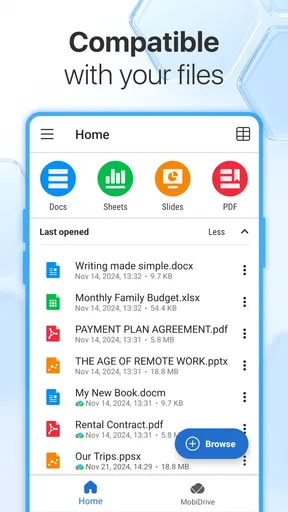
Yes, MobiOffice is highly compatible with a wide range of file formats. It supports DOCX, XLSX, and PDF as well as legacy formats like DOC and XLS. This versatility ensures users can open and edit files created in other office suites without any issues, making it ideal for diverse needs.
Does MobiOffice require an internet connection to function?
MobiOffice is designed to work both online and offline. While an internet connection is beneficial for cloud integration and real-time collaboration features, users can still create and edit documents offline. Once reconnected, documents can be synced to the cloud for backup and sharing purposes.
Is MobiOffice free to use, or are there any costs involved?
MobiOffice offers a free version with essential features suitable for basic use. However, there are premium plans available that unlock advanced features like enhanced cloud storage, additional templates, and ad-free usage. Users can choose the plan that best fits their needs and budget.
How secure is my data on MobiOffice?
Data security is a top priority for MobiOffice. The app uses encryption to protect your documents and offers secure cloud storage options. Users can also set permissions for file access and sharing, ensuring that sensitive information remains private and protected from unauthorized access.
